
Table of Contents
13 min read
How to Choose a Fleet AI Dashcam: Channels, CANBus & Storage
How to choose a fleet AI dashcam: sizing camera channels, CANBus vehicle data, onboard storage, and driver-facing DMS — with Btracking BD1000/BDCV200/BD2000.
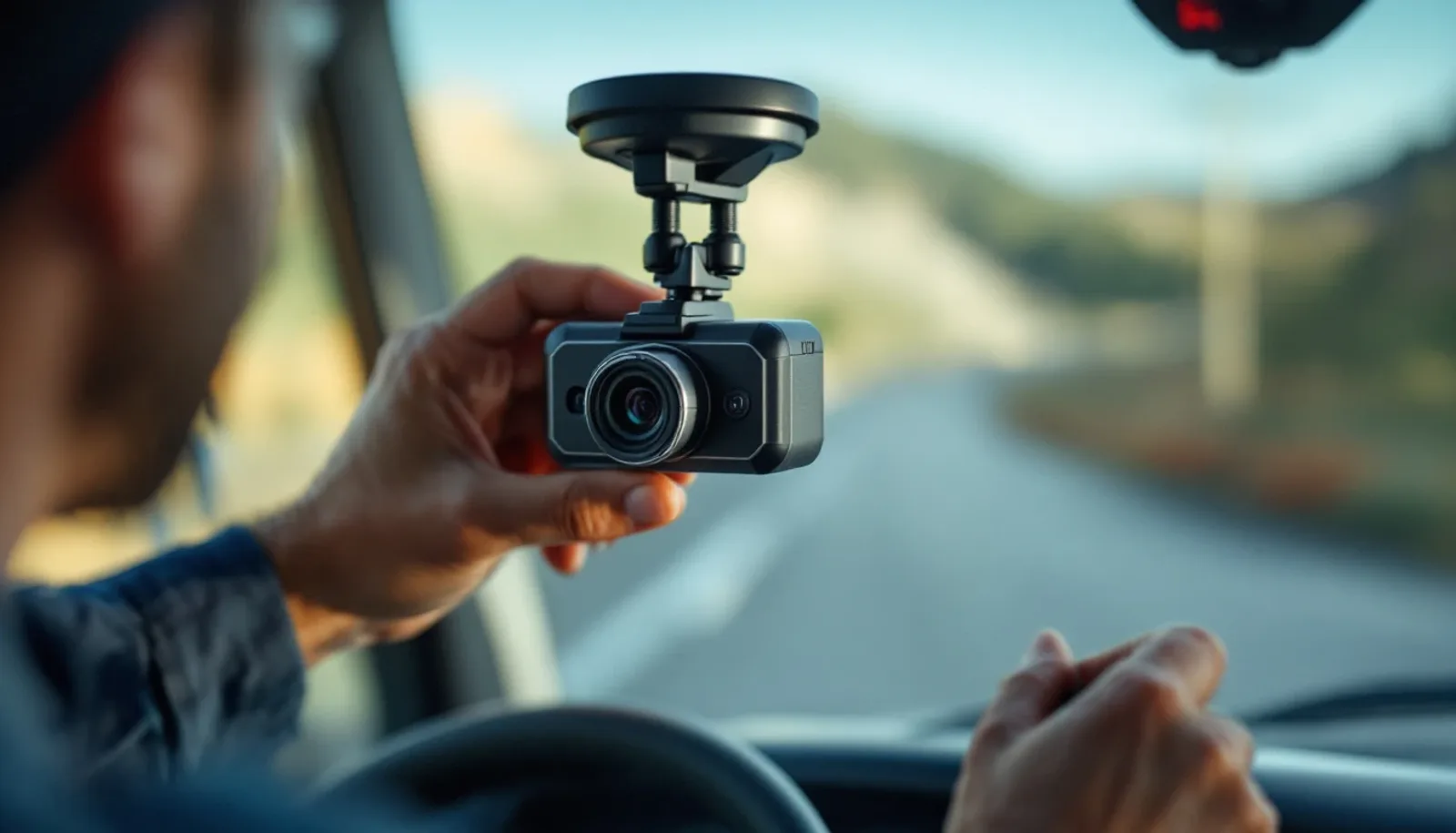

The Four Decisions Every Fleet Manager Must Make Before Buying a Dashcam
Before you evaluate any dashcam system, settle four independent variables: channel count, CANBus integration, SD storage sizing, and DMS driver monitoring. Get these right first, and the hardware selection follows logically. Skip this step and you end up buying a bundled system optimized for someone else's fleet.
1. Channel count How many camera angles does your vehicle actually need? A road-facing and driver-facing pair covers most vans and light vehicles. Box trucks, reefers, and heavy equipment introduce blind spots that require side, rear, dome, or waterproof outdoor cameras — up to a 4- or 6-channel PRO configuration. Locking into a fixed 2-channel system because it was the default bundle means paying for a second system later, or living with the gap.
2. CANBus integration GPS speed tells you how fast a vehicle was moving. CANBus tells you what the vehicle was doing — speed, RPM, and active fault codes correlated directly to the video event. That distinction matters when you're reconstructing an incident or defending a claim. CANBus vehicle data is included on the Enterprise FleetCam PRO (BD2000) and available as an option on the BDCV200; if your use case doesn't require it, you don't need to pay for it.
3. SD storage sizing Local storage determines how long footage stays on the device before it's overwritten or offloaded. The right capacity depends entirely on your review cadence and incident frequency — not on a spec sheet default. The BDCV200 supports up to a 512GB configuration, and the BD2000 PRO offers dual storage up to 1TB, giving fleets with slower review cycles a larger on-device buffer. Size this to your actual workflow, not the largest number available.
4. DMS driver monitoring A driver-facing DMS camera delivers real-time in-cab alerts for distraction, drowsiness, and phone use — genuinely useful for coaching programs and liability defense. It is also an additional channel and an in-cab privacy consideration that varies by jurisdiction, union agreement, and fleet culture. It belongs on the list only after you've decided it fits your operation.
Most bundled dashcam systems force a single answer across all four of these variables. A fleet that needs 6-channel coverage but not DMS ends up paying for monitoring it won't use. A fleet that needs DMS but only has light vans gets over-engineered hardware. Btracking FleetCam is built to let you configure each dimension — channel count, CANBus, storage, and DMS — independently on one platform, so the system matches the fleet rather than the other way around.
How Many Camera Channels Does a Fleet Dashcam Need?
For vans and light vehicles, 2 channels — road-facing and driver-facing — cover the angles that matter most. For box trucks, reefers, and heavy vehicles, 4 or 6 channels add side, rear, dome, and waterproof outdoor cameras to close the blind spots those larger vehicles create.
Channel count by vehicle type:
| Vehicle Type | Recommended Channels | Typical Camera Positions |
|---|---|---|
| Vans, light trucks, passenger vehicles | 2 | Road (forward) + driver cab |
| Box trucks, reefers, heavy vehicles | 4–6 | Road, driver, side, rear, dome, outdoor waterproof |
Matching the hardware to the job:
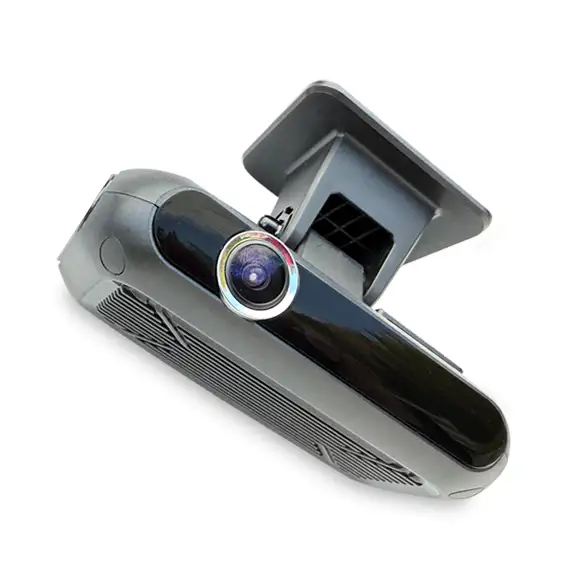
The BD1000 FleetCam ($174.99) is built for lighter fleets. It records 2 channels — road and driver, or road only — with AI safety event detection, DMS driver monitoring, and HD footage with low-light visibility. It runs on LTE 4G CAT 1 and carries dual storage up to 512GB. It's the practical choice when you don't need more than a cab and a windshield covered.
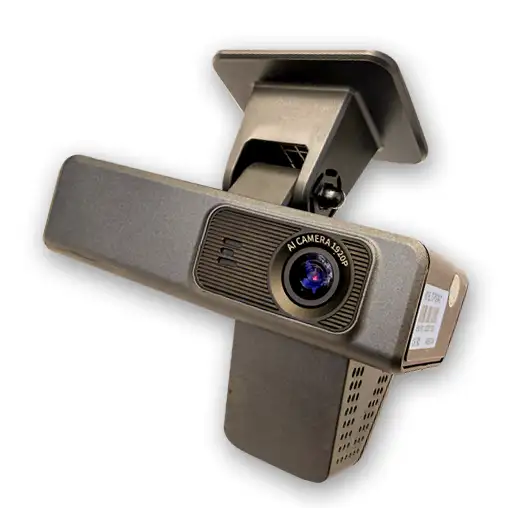
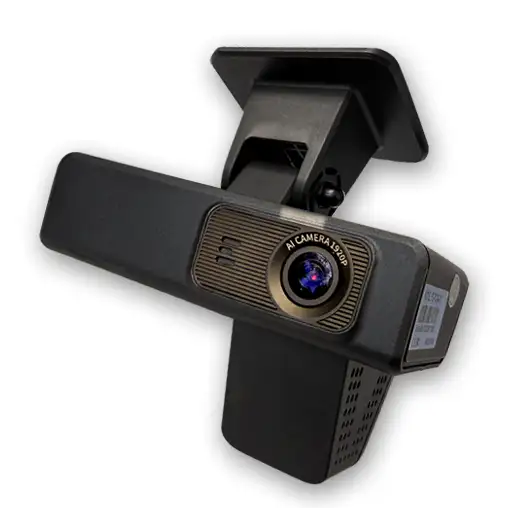
The BD2000 PRO ($299.99) steps up to 4/6-channel recording, adds CANBus vehicle data integration and DMS, runs on LTE 4G CAT 1 with dual storage up to 1TB, and supports the full camera array — side, rear, dome, and outdoor waterproof units — that heavy-vehicle operators need to account for every angle.
Both systems run on the same Btracking platform. A fleet running cargo vans alongside 26-foot box trucks can deploy the BD1000 on the light vehicles and the BD2000 PRO on the heavies without splitting into two separate software environments or management workflows. One platform, right-sized hardware per vehicle class.
Do You Need CANBus Vehicle Data Integrated with Your Dashcam?
CANBus integration is worth it when you need the video event tied directly to what the vehicle was actually doing — not just where it was.
GPS speed vs. CANBus speed: why it matters for incident reconstruction
GPS-derived speed is calculated from position changes over time. It's useful, but it has lag, it can't tell you engine RPM, and it won't surface fault codes that were active at the moment of an event. CANBus reads directly from the vehicle's own data bus — the same source your mechanic's diagnostic tool uses. When you're reconstructing an incident or coaching a driver, the difference between "GPS said 47 mph" and "CANBus confirmed 52 mph, 3,200 RPM, with an active fault code" is the difference between a defensible record and an ambiguous one.
When to choose the BD2000 Enterprise FleetCam PRO
The BD2000 Enterprise FleetCam PRO is the right choice when your fleet needs that level of depth. It combines AI safety event detection, up to 6-channel recording, HD footage with low-light visibility, and CANBus vehicle data — speed, RPM, and fault codes — all in one system, priced at $299.99. Every flagged event comes with the full vehicle context attached, which makes both incident review and driver coaching more precise.
When a simpler configuration is enough
If your primary need is video evidence — confirming what happened on camera without deep vehicle diagnostics — a simpler dashcam configuration will do the job. CANBus adds value specifically when the vehicle's behavior is as important to your review process as the footage itself.
SD Storage vs. Cloud for Fleet Dashcams: How Much Onboard Storage Do You Actually Need?
Local SD capacity determines how many days of footage stay on the device before clips are overwritten or offloaded — and that number needs to match your actual review cadence, not a theoretical best case.
The core trade-off
A larger SD card means footage survives longer on the camera without depending on a continuous LTE upload. That matters when cellular coverage is patchy, data costs are a concern, or your review process runs on a weekly rather than daily cycle. A smaller card is fine if someone is pulling clips same-day or if you're relying on live streaming to catch incidents as they happen.
Sizing storage to your review cadence
Start with one question: how many days need to pass before a manager can realistically pull a clip after an incident? If the answer is two or three days, a modest card may cover you. If drivers are running remote routes and footage isn't reviewed until the end of a weekly run, you need enough headroom that the loop hasn't already overwritten the event you care about.
A practical rule: estimate your camera's daily recording volume at your resolution and frame rate setting, then multiply by the number of days you need buffered. Round up — unexpected incidents rarely happen on the last day of a retention window.
The high-storage options: BDCV200 up to 512GB, BD2000 PRO up to 1TB
The BDCV200 configured with SD storage up to 512GB, priced at $299.99, is the high-capacity end of the two-channel tier; the BD2000 PRO goes further with dual storage up to 1TB. The BDCV200 runs on LTE Cat 6 connectivity, so when network conditions allow, footage can be offloaded to the cloud without manual intervention — but the 512GB local buffer means you're not dependent on that upload completing before a clip becomes relevant. The BDCV200 also supports a second camera channel for in-cabin or cargo view, and optional DMS, which means the storage budget has to account for multi-channel recording if you're running both feeds simultaneously.
Bottom line
If your fleet operates in areas with reliable LTE and clips are reviewed within 24–48 hours, a smaller SD configuration can work. If you need a longer local buffer — remote routes, weekly review cycles, or multi-camera recording — the 512GB BDCV200 at $299.99 — or the BD2000 PRO with dual storage up to 1TB — gives you the headroom to avoid losing footage before anyone has a chance to look at it.
Is a Driver-Facing DMS Camera Worth It for Your Fleet?
A driver-facing DMS camera is worth adding if real-time behavior correction and incident liability defense are priorities — but it comes with in-cab privacy considerations that vary by jurisdiction and fleet policy, so it shouldn't be treated as an automatic fleet-wide rollout.
The coaching upside. The core value of DMS is that alerts fire in the moment — when a driver is distracted, drowsy, or on their phone — not hours later during a review session. That real-time feedback loop is what actually changes behavior at the wheel. Post-trip coaching still matters, but an in-cab alert gives the driver a chance to self-correct before a near-miss becomes a recordable incident.
The liability defense angle. When an incident does occur, video evidence of the driver's state at the exact moment of impact is a fundamentally different asset than road-facing footage alone. It can confirm attentiveness, counter a false claim, or — equally important — surface a genuine problem before it repeats. Fleets operating in high-litigation environments increasingly treat that footage as essential documentation, not a nice-to-have.
The privacy trade-off. Pointing a camera at a driver continuously is a meaningful policy decision. Regulations around in-cab recording differ by state, province, and country, and driver acceptance varies. Fleet managers need to review applicable law, communicate the policy clearly, and decide whether the operational benefit justifies the added channel in their specific context.
How Btracking handles the decision. DMS is included on the BD1000 FleetCam 2 Channel AI Dashcam System and on the BD2000 PRO, while on the BDCV200 2 Channel AI Dashcam System it is an optional add-on. The BD1000 supports 2-channel road-and-driver or road-only recording, so you still configure the driver-facing channel per unit. The BDCV200 can operate as a single camera or connect a second camera for in-cabin or cargo view, with DMS enabled only when the DMS camera is physically added. That architecture lets you pilot DMS on a subset of vehicles — high-risk routes, newer drivers, specific asset classes — before deciding whether to expand fleet-wide.
Btracking FleetCam Model Comparison: Which System Fits Your Fleet?
The right FleetCam model comes down to four variables: how many cameras your vehicles need, whether you want CANBus vehicle data correlated with video events, how much on-device storage you require, and whether driver monitoring (DMS) is on your checklist.
| Decision Dimension | BD1000 — $174.99 | BD2000 — $299.99 | BDCV200 — $299.99 |
|---|---|---|---|
| Max Channels | 2 (road + driver, or road only) | Up to 4/6 | Up to 2 (expandable with second camera) |
| CANBus Vehicle Data | — | ✓ (speed, RPM, fault codes) | Optional |
| LTE Connectivity | LTE 4G CAT 1 | LTE 4G CAT 1 | LTE Cat 6 |
| Max SD Storage | Dual storage up to 512GB | Dual storage up to 1TB | Up to 512GB |
| DMS Support | ✓ (included) | ✓ (included) | Optional (DMS camera required) |
Notes on the table: Cells marked "—" reflect specs not stated in the available evidence for that SKU — not a confirmed absence of the feature.
How to read this for your fleet
BD1000 ($174.99) is the entry point for light vehicles and budget-conscious deployments. Two channels cover the road-facing and driver-facing angles that most vans and light trucks actually need, with AI safety event detection included. It's the lowest-friction way to get AI dashcam coverage onto a mixed fleet without overbuying.
BD2000 ($299.99) is the call when you're running box trucks, reefers, or any heavy vehicle where you need more camera positions and you want video events tied directly to what the vehicle was doing — speed, RPM, and fault codes via CANBus. Scaling to 4 or 6 channels lets you cover sides, rear, and cargo areas on a single system.
BDCV200 ($299.99) is built around telematics-first deployments. Its SD capacity of up to 512GB matters when you need footage retained on-device for longer review windows before it's offloaded or overwritten. Optional DMS and ADAS support, plus wired I/O and BLE connectivity for IoT sensors, make it the right fit for operations where the dashcam is one node in a broader telematics architecture.
Fleet AI Dashcam Buying Checklist: Four Questions to Answer Before You Order
Answer these four questions before you configure a single unit — your answers map directly to the hardware you need.
1. What vehicle types are in your fleet?
- ☐ Vans, passenger vehicles, light trucks → a 2-channel setup (road-facing + driver-facing) covers you
- ☐ Box trucks, reefers, heavy equipment → plan for side, rear, dome, or waterproof outdoor cameras; size up to a 4- or 6-channel PRO configuration
2. Do you need vehicle fault codes and RPM correlated to video events?
- ☐ Yes — I want to see exactly what the vehicle was doing (speed, RPM, fault codes) at the moment of an event → specify the Enterprise FleetCam PRO (BD2000) with CANBus
- ☐ No — GPS speed and video are sufficient for my use case → standard configuration works
3. How many days of footage do you need on-device before clips are reviewed or offloaded?
- ☐ High-volume routes, infrequent review cycles, or limited connectivity → size up; the BDCV200 supports up to a 512GB SD configuration, and the BD2000 PRO offers dual storage up to 1TB
- ☐ Frequent review or cloud offload in place → smaller local storage may be sufficient
4. Do you have a driver coaching or safety incentive program in place — or planned?
- ☐ Yes — real-time in-cab alerts for distraction, drowsiness, and phone use directly support that program → add a DMS camera channel; factor in the in-cab privacy considerations for your fleet
- ☐ No current program → DMS is optional now, but worth leaving room to add as the program matures
Why this matters for platform choice: Btracking FleetCam is configurable across all four of these axes — channel count, CANBus integration, storage capacity, and DMS — within one system. As your fleet grows or your safety program expands, you add capability without replacing the platform or buying into a separate system.
Frequently asked questions
How many channels does a fleet dashcam need?
A 2-channel system (road-facing + driver-facing) is sufficient for vans and light vehicles. Box trucks, reefers, and heavy vehicles typically need 4 to 6 channels to cover side, rear, dome, and exterior blind spots. Btracking FleetCam scales from 2 channels on the BD1000 up to 6 channels on the BD2000 PRO.
Do I need a driver-facing dashcam in my fleet vehicles?
A driver-facing DMS camera provides real-time in-cab alerts for distraction, drowsiness, and phone use, which is high value for safety coaching and liability defense. Btracking's BD1000 and BD2000 PRO include DMS, while the BDCV200 takes an optional add-on DMS camera — so you can deploy it where it fits — but you should weigh in-cab privacy considerations for your jurisdiction.
What is the difference between SD storage and cloud storage for a fleet dashcam?
Local SD storage determines how much footage is retained on the device before it is overwritten or offloaded. The BDCV200 supports up to 512GB of onboard SD storage, and the BD2000 PRO carries dual storage up to 1TB, giving fleets longer local retention without depending on continuous LTE upload. Size your SD to how many days of footage you need available before someone pulls a clip for review.
What does CANBus integration do on a fleet dashcam and do I need it?
CANBus integration pulls live vehicle data — speed, RPM, and fault codes — and correlates it directly with video events. Choose it when GPS speed alone isn't enough context for incident reconstruction or driver coaching. CANBus is available on the Btracking BD2000 Enterprise FleetCam PRO.
What is the price difference between the Btracking BD1000 and BD2000 dashcam systems?
The BD1000 Enterprise FleetCam unit is priced at $174.99 and supports 2-channel recording. The BD2000 Enterprise FleetCam PRO unit is priced at $299.99 and supports up to 4/6 channels with CANBus vehicle data integration.
Tags:
how to choose an ai dashcam for fleethow many channels does a fleet dashcam needdo i need a driver facing dashcamdashcam sd storage vs cloud for fleetsBtrackingBD1000 FleetCamBD2000 Enterprise FleetCam PROBDCV200Products in this guide
Get a written quote
Tell us what you run. An engineer confirms the details and prices it.
Request a quote